
How to Use a House Affordability Calculator (Step-by-Step)
Buying a home is one of the biggest financial decisions anyone can make and understanding how much house you can truly afford can make or break your long term stability. This is where a house affordability calculator become’s your most valuable tool. But many people struggle with how to use affordability calculator results correctly often misinterpreting the numbers or entering the wrong inputs altogether.
In this complete guide you will learn exactly how a house affordability calculator works what details you need to enter common mistakes to avoid and how to understand your affordability estimate like a pro. Whether you are a first time buyer or planning an upgrade this step by step method will help you use the tool with confidence.
1. Why You Need a House Affordability Calculator Before House Hunting
Before you start browsing listings or contacting agents you need a clear idea of your budget. A house affordability calculator does the heavy lifting by analyzing your income debt down payment credit score and interest rate. When you know how to use affordability calculator inputs correctly you avoid the emotional trap of falling in love with homes that are way above your safe financial range.
A calculator also helps you:
- Set realistic expectations
- Protect yourself from overspending
- Plan your down payment more effectively
- Understand monthly obligations before applying for a loan
- Avoid shocks during mortgage pre approval
The more accurately you use this tool the smoother your buying journey becomes.
2. Step-by-Step Guide: How to Use a House Affordability Calculator Properly
Understanding how to use affordability calculator tools starts with knowing what each input means. These calculators typically ask for your income monthly debts down payment expected interest rate loan term and sometimes even property taxe’s or HOA fees.
Let’s break it down step by step.
Step 1: Enter Your Gross Monthly Income
The first input in any house affordability calculator is your gross monthly income your earnings before taxes and deductions. To know how to use affordability calculator tools correctly you must include:
- Salary
- Overtime (only if consistent)
- Bonuses (if regular)
- Freelance or side-income
- Business profits
- Rental income
The calculator uses your income to estimate your maximum safe pledge payment based on standard DTI (Debt to Income) guidelines.
Step 2: Add Your Monthly Debt Payments
Your debt plays a big role in mortgage qualification. Before using a house affordability calculator collect all your monthly debt obligations:
- Credit card minimum payments
- Student loans
- Auto loans
- Personal loans
- EMIs or installment plans
- Existing mortgage (if upgrading)
Knowing how to use affordability calculator inputs correctly means entering accurate numbers. Even small debts can shift affordability significantly.
Most lenders expect your total DTI ratio to be below 36% meaning no more than 36% of your income can go toward pledge+ debt payments.
Step 3: Enter Your Expected Down Payment
One of the biggest influences on results from a house affordability calculator is your down payment amount. Depending on how much you plan to put down your loan size and monthly payments change drastically.
To understand how to use affordability calculator results effectively you should test different down payment scenarios such as:
- 3% (minimum for many loans)
- 5%
- 10%
- 20% (to avoid PMI)
- 25%+ (for lower monthly payments)
A higher down payment increases your affordability by lowering the monthly pledge cost.
Step 4: Add Your Expected Interest Rate
Interest rates are constantly changing and deeply influence how a house affordability calculator estimates your maximum home price.
When learning how to use affordability calculator make sure you:
- Check current national rates
- Check rates for your credit score
- Check rates for your loan type (conventional, FHA, VA, USDA)
Even a 0.5% rate change can affect your affordability by tens of thousands of dollars.
Step 5: Enter Your Loan Term
Most buyers choose a 30 year fixed mortgage but calculators also allow:
- 15 year fixed
- 20 year fixed
- Adjustable rate mortgage (ARM) options
When you understand how to use affordability calculator settings you will notice:
- Shorter terms = higher monthly payments
- Longer terms = lower monthly payments but more interest overall
Your loan term dramatically changes your affordability estimate.
Step 6: Add Property Taxes, Insurance, HOA Fees (If Required)
Some calculators include additional fields and you must know how to use affordability calculator sections like:
- Annual property taxes (1% to 2% of home price on average)
- Homeowners insurance
- HOA or condo fees
- Mortgage insurance (PMI for <20% down payment)
These extra costs can add hundreds of dollars monthly affecting your final affordability.

3. How to Interpret Your House Affordability Calculator Results
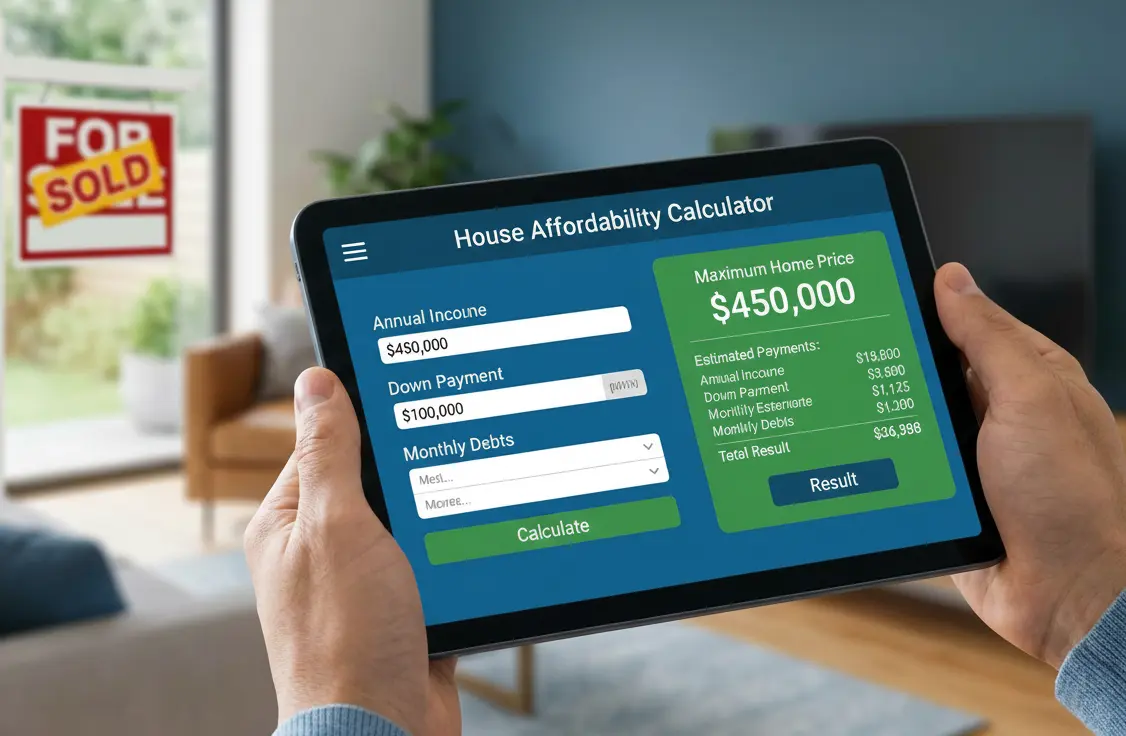
After entering all the details the house affordability calculator will show:
- Maximum home price you can afford
- Estimated monthly pledge payment
- Required income based on your entries
- Total loan amount
- Estimated taxes and fees
To correctly interpret how to use affordability calculator results:
A. Check if the monthly payment feels comfortable
Do not just rely on the calculator ask yourself if you can maintain lifestyle expenses savings and emergencies.
B. Compare results with lender affordability rules
Most calculators follow standard rules but your lender may have slightly different criteria.
Understanding how to use affordability calculator helps you predict what lenders will approve.
C. Consider future financial changes
Ask yourself:
- Will your income increase?
- Any big expenses coming soon?
- Planning kids business investment or relocation?
A house affordability calculator shows present affordability not future flexibility.
D. Test multiple scenarios
This is one of the smartest ways to master how to use affordability calculator tools. Change:
- Down payment
- Interest rate
- Loan term
- Debt amount
A small adjustment can jump your affordability up or down by thousands.
4. Common Mistakes When Using a House Affordability Calculator
Even though these tools are simple many people misuse them which leads to unrealistic expectations. Here are the top mistakes to avoid if you want to use a house affordability calculator correctly:
Mistake 1: Using Net Income Instead of Gross Income
You must know how to use affordability calculator correctly by always entering gross income unless the tool says otherwise.
Mistake 2: Forgetting Some Debts
If you leave out small debts the house affordability calculator may display a higher affordability than what lenders allow.
Mistake 3: Ignoring Property Taxes
Many buyers mistakenly think taxes are fixed everywhere. When you learn how to use affordability calculator tools you will notice calculators often allow tax input for accuracy.
Mistake 4: Using Unrealistic Interest Rates
Checking rate updates weekly keeps your house affordability calculator results realistic.
Mistake 5: Assuming All Lenders Use the Same Formula
Different lenders consider risk differently. Your understanding of how to use affordability calculator helps you prepare but approval terms may vary slightly.
Mistake 6: Not Accounting for Lifestyle Expenses
The calculator does not include:
- Travel
- Shopping
- School fees
- Medical needs
- Investments
Your personal spending habits matter just as much as your house affordability calculator results.
5. Top Tips to Get the Most Accurate Affordability Estimate
To master how to use affordability calculator tools like an expert follow these tips:
Tip 1: Use multiple calculators
Compare estimates from banks real estate websites and government backed loan providers.
Tip 2: Update your numbers monthly
Markets and interest rates change often. A house affordability calculator works best with fresh data.
Tip 3: Improve your credit score
Higher credit score = lower rate = higher affordability.
Tip 4: Reduce debts before buying
Lower debts drop your DTI ratio increasing the amount the calculator shows you can afford.
Tip 5: Build a bigger down payment
The house affordability calculator will show significantly higher affordability with a stronger down payment.
Tip 6: Consult a lender after using the calculator
Knowing how to use affordability calculator gets you close but lenders give the final word.

6. Final Thoughts
A house affordability calculator is one of the most powerful tools you can use when planning to buy a home. When you clearly understand how to use affordability calculator inputs like income debt down payment and interest rate’s you gain control over your financial planning and avoid overstretching your budget.
By mastering these step’s interpreting results properly avoiding common mistakes and applying smart tips you can confidently determine the price range that fits your lifestyle and long term goals.